25 Feb 2012
Fix Obtaining IP Address Android WiFi Problem
Fix Obtaining IP Address Android WiFi Problem.
This is a common problem in android.
The name of the issue says it all. Android fails to obtain an IP address from a wireless router: connection attempt fails. It goes through stages in an infinite loop:
1.Obtaining IP address
2.disconnecting
3.scanning
After searching about this problem on internet, I found that many other people facing the same problem.
There is a light weight app, that fix this problem in single step.
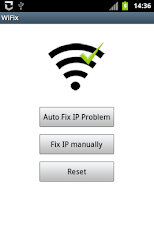
Download WiFix from Google Play


Thank u it works well!!!!
It didn’t work for me. When I set my wireless router security to none, the android works great but as soon as I set to WEP/WPA/WPA2, it gets stuck at obtaining IP address. I have a similar make and model of WiFi router at another location with same setup and it works perfectly.
Thanx alot, it worked for me.
http://www.mhotspot.com/page-not-found.html, link is not available.
http://mhotspot.com/mhotspot4Lite.exe
Firstly, I use your the way you posed. Next day , it saids DNS2 ip address is invalid.
2th day, I change it with my IP address , it can use that day,
3 th day, I cannot use anyway.
.
I have two setting
1. wireless LAN adapter wireless network connection 2:
IPV4 : 192.168.120.1
Subnet Mask: 255.255.255.0
Default Gateway : (here is nothing)
To connect, I use gateway add is like this 192.168.120.254 and IP is 192.16812.14
2. Ethernet adapter Local Area Connection
IPv4 address : 118.203.6.3
Subnet Mask: 255.255.255.0
Default Gateway: 118.203.6.254
At second day, I connect successfully in No1. setting. Now, but, I can’t get any setting (both 1 and 2) including your setting.
for anysetting/ DSN2 allows for 4.4.4.4 but not for 4.4.4.4/8.8.8.8 It always say invaild ip address.
How I should do, please help me, Thanks you very much in advance.
use ip address: 192.168.120.18
Default gateway: leave it blank (if errors enter, 118.203.6.254)
Worked on Samsung Exhibit. Thanks.
hello,
I use the way you said, it worked for only one day, next day, it shows that IP address is invaild and the data of DNS2 is lost, Although, I re-enter 4.4.4.4/8.8.8.8, it said invalid IP address. What I should do, please tell me. Thanks you for your valuable post.
thanks. it’s working .
my phone is galaxy wonder & lg optimus l7
i’m from indonesia
thanx alot bro
i am using micromax a60 , and i cant connect wifi,please provide me a solution….
i am really thankful to you bro & it worked thanks a lot for sharing this article
pls i have a samsung galaxy tab 2 10.1″ and it dosnt use sim card so i got a uiversal router which wen i conneced put on th wifi its scanned and discoverd the router but it coldnt still browse the net pls what do i do .pls add me on skype to drop the message and steps to follow on dafe.kelvin or my email buchiklemzy@gmail.com
hello pls i nid your help with my samsung galaxy 2 10.1″ its sim free and i bought a universal router and thee tablet sees the router but does not browse after showin connected it will see the DTmobile_45DO47…PLS what do i do pls add me on skype with dafe.kelvin or my email buchiklemzy@gmail.com
awesome man it worked for me great hats off…..
it dint run for me…i am connected to WIFI but no internet connection( for my google nexus)….my winhotspot is not working it seems because same issue happened with my ipod touch
So HelpFull Thank u So Much Bro
Really helped, thanks
Or my browseer…
Seems my voice to text function won’t connect now, either.
Except now Podkicker and Podsearch won’t connect. Suggestions?
Thanks, that worked!
Thanks it worked well.
Thanks it worked well. Thanks a lot
Hi guys,
The above static IP solution is a workaround.
The real solution involves changing file permission on a root file.
Fortunately, my ubislate had root access, with help of x-plore file manager, was able to change permission of dhcpcd-run-hook file to read-execute(no write) in the /system/etc/dhcpcd directory.
Works like a charm. More details in the below URL
http://androidforums.com/avail-all-things-root/583407-easy-real-wifi-fix-obtaining-ip-address-loop-found-me.html
will it work for galaxy tab2 p5100 model?
thanks for sharing the info.. it for rooted phones but most of users are using non-rooted phones.
Hi, I’m using GalaxyTab2 10.1 p1500.. i tried the Allshare, having my wifi turned off, but my device automatically used my sim to connect to the net.. What should I do?
p5100 actually.. any help?
I have an Acer Iconia 200 but when I follow your instructions, the SAVE button is disabled so I cannot execute the change.
I tried using static ip address with the parameters you provided. The WiFi showed connected but I am still unable to browse the net. The homepage does not load and it shows ECD error. Please do help me if you have a solution.
Try entering your own Ip address, subnet mask and default gateway.
Reply if you have any problem.
i have nexus 4 running jelly bean 4.2.. it connects but doesnt work. cant acces! i cant find static i.p address option on it ..please help step by step
need help too! i tried doing it but won’t solve the prob. it would scan and connect for few seconds then shows authenticating but would finally show disconnected while the network shows disabled. would try connecting again but can’t connect to wifi like before. am using samsung gts6500. thanks!
This fixes that stupid problem.
Many Thanks!
help me..this not function for my phone..i use alcatel..
What is your model number?
alcatel onetouch glory 2s..tq for responden
Wow….thanks finally managed to connect my tablet successfully. You made my day.
Thank you sooooooo much, you could fixed my problem which I’v been working on it for more than 48 hours.
Thanks a lot,it worked great.
i have install mhotspot in my pc…bt when i open i then i get error msg that driver problem please wait while mhotspot fixe it.afte that river restore,please restart your computer for the changes to be applied.
pls help me to shoutout the proble…
i have install mhotspot in my pc…bt when i open i then i get error msg that driver problem please wait while mhotspot fixe it.afte that river restore,please restart your computer for the changes to be applied.
pls help me to shoutout the proble…
my pleasure
it works!!!thanks a lot, mvm!!!
I have a samsung tab 2, it worked fine for 5 days, then suddenly the tab is not able to connect, it says network disabled, poor connection.
I knw it isnt poor coz the net is working fine on my laptop.
Pls Reply at johnmartini79@gmail.com
Thanks in advance!
Hi
I fixed the problem with my XOLO A700 and now successfully able to browse through wifi hotspot of my laptop. Earlier I had the “obtaining IP address” error, then “connected” but unable to browse problem and so on.
I did the following to fix it.
1. I disabled the McAfee Firewall and Host Intrusion Prevention. This is important because it kept showing in my HIP logs that my android device IP was blocked.
2. I set the IP of android device to Static. And then I set the Gateway IP of the android device exactly equal to the IP (192.168.137.1) of the Microsoft Virtual Wifi Miniport wireless Adapter in Network and Sharing. Also, I changed the IP of the android device to 192.168.137.25, please note the first 3 sections are equal to the Gateway IP and only the last digit is different. This was also important.
3. I ensured that the wifi icon is grayed out and it showed the blue signals before launching the browsers.
i have samsung galaxy y s5360
my phone detects many wi fi networks but i don’t have and accecs to even one pls tell how to gain IP address of a wi fi without pairing with it. or if you can help me in cracking it’s password :p
yes this trick works 100%
thanks a lot friend.
hats off to you
Thanks! Problem solved!
I had been struggling with this, and I have just found on the BT internet settings I have changed the code for the wifi from the default. Accidentally I went back into the BT Help and settings and saw the code I had changed it to.
I must have had a blonde few months, as I forgot doing this.
Prefect it works for me on my S3 mini
got two days fu88ed by the obtaining ip address issue on my android..simply disabled avg fire wall on my pc, it was just like a dam with gates fully opened……
now i can stream,surf download everything….thankyou
You saved my Day. Thanks a lot mate.
Hey vikram,
Thanks a ton!! Brother. I have spent almost last 6 months and finally gave up due to this problem. Finally you resolved today.. Great job.. Thanks again.
Vikas.
Dear Vikram,
I would like to thanks a lot for helping me out on this problem. I have spent 3 months on it find a solution. finally solved today. Thanks a ton.
Vikas.
Dear Vikram,
I would like to thank from the bottom of my heart for solving this problem. I had stuck on it for almost past 4-5 months. Thanks again.. Great Job !!!
Vikas.
Dear Sir,
Thanks a lot i was upset because i bye my android phone just because of use wifi but when i reach on home i saw wifi was not working and i tried two days to connect this but all time failed but now i am so happy just because of you Thanks thanks thanks 10000000 times
thanks a lot!!!!!!!!
it works! thanks a lot
If you access your router….add the MAC address of your cell phone to the router DNS allowed list. Then add your cell phone PIN to access your router. It should then connect your personal router/phone/internet together. Done.
it does not work with the Note II
Cal me sir,n ur note 2 prblm wil b solve
i have nexus 4 and have problem with wifi.. got it yesterday it shows full bars but the speed is extremely sloww!! please help me! plus there was no option of using static ip address on my nexus 4
omg.. it works!! thanks so much
)
love you.
Thanks a lot!!!IT worked for my samsung galaxy s2!
Thank you very much. It works on my phone.
wow… such a nic solution … worked for me …… thnxxxx vikrammm
The solution provided by VIKRAM is really working for 4.0 and above. Thank you very much man, i will be obliged to you till the end
Dis method was not working on android 4.0 n above.finaly i have found a solution to it..if u ppl wanna know d procedure,add my no on ur watsapp n i wil expalin it to u guys wid various screen shots..vikram 8809335555
yes, its works well.. Thank you.
Am using Samsung Tab 1 10.1
Come on guys!! It’s now 2013 and no one could help me fix this problem!!
I’m getting connected but couldn’t have internet access!
I’ve tried all of your solutions but none of ‘em worked!!
Please help!!!!
The static ip trick worked and i put in the exact details u mentioned, thanks a million.
I have samsung galaxy s7562.
whenever i try to browse in my mobile using my laptop wifi,
my laptop automatically crashes and a dumping physical memory error occur…
please help……
i have a samsung galaxy ace 2. running on jellycream (rooted) allshare is not compatible with my phone
thank u soooooo much wow just about to sell my phone
It connects using the IP Address trick but NO INternet Access
THIS WORKED GOD BLESS YOUR SOUL! !!
I tried every option listed on this page and nothing worked! It connects with full bars but no internet access, even when I use the info on the cmd>ipconfig method with DNS 1: 4.4.8.8 and DNS 2: 4.4.4.4 OR 8.8.8.8 OR 0.0.0.0, I even tried with netmask/mask ifno from the cmd promp
I love you me has salvado, saludos desde México
for those connected to wifi but internet not working
confirm dns settings by from 198.168.1.1 or visiting router homepage under config option
Really i was fade of thank you very much now my mobile wifi working very well.
thanks a tonsss
i have a solution for those who gets connected but no access to the internet!
p.s the name i used was my skype name add me! woot woot! ^_^
first just follow the above procedure by using a static ip…then ur phone will say ur connected from wifi but there is no internet..just go to wifi settings again then go to advance option and uncheck the “use static ip” just uncheck it do not change any of the settings! i dont know why but i got access to internet but my wifi turns off every 5-6 mins…i got no solution to that but everytime it turns of just check and uncheck the “use static ip” again! hope that helps Lol
Thanx a lot man… It really worked
it work. like it says i have wifi. but now i try and do somethin on the internet and it wont let me send anything or anything like that O.o
thanx! worked for me
Thanks Bro its ammezing last two week i got mad with my phone when not connecting
thanks you so much
OMG!!!! Totally fixed it! Huge High Five! THis has been my obbsession for the last 3 days and it totally cured me!
thank you so much….!
it works well on galaxy s plus…
thanks
I have iphone 4s and i am not abble to use mhotspot so please hale me
Thanks Dear It Work
Thank you, it worked to me on my LG P970h with custom ROM Cyanogenmod 10.0.1 (Jelly Bean 4.1) rooted and flashed.
I hav samsung galxy s Gt-19003 and today my phone got hanged and wen i reboot my phone the whole phone was automtcly formated this thing hapns 2-3 time first my phone stop wrking and then automaticly restart i dnt knw what hapn in myphone and knw wen i ‘m turning wifi in my phone its not conecting to the wirlesnetwrk i tried evry thing what you hav sugestd over bt no use. It shows conecting disconect and keep n scaning the wifinetwrk but do not conect to my home widi rootr. Plzzz help me our with this problm.
its a problem with virus i think…plz contact service centre
thanks it’s worked
for me i have access ,, but no internet !!!!
Yes It worked!! thanks a lot Mate.
thanks a ton!!!!!! IT WORKED
Thank you. Worked on galaxy tab 2 7.0 w. netgear router.
Well i got connected to my wifi however the internet still doesn’t work.
yes me too .. i have access but no internet connection!!
For the benefit of people having problems, the entries suggested:
IP address : 192.168.1.253
Gateway: 192.168.1.1
Netmask: 255.255.255.0
DNS1: 8.8.4.4
DNS2: 4.4.4.4/8.8.8.8
This assumes your wifi address is 192.168.1.1 which it commonly is, but not always, so check your router. Sometimes it is 192.168.1.255
Also if you can connect to wifi but not the internet it might be a problem with the DNS server entries. I have never tried google servers 8.8.4.4/4.4.4.4/8.8.8.8 but use opendns which is 208.67.220.220 and 208.67.222.222 and always reliable.
Lastly as you are setting a fixed static address, check that it (192.168.1.253) doesn’t conflict with another device connected to your wifi. No reason why you should’t use 192.168.1.25
Hi i have been trying mine but still i doesn’ want to show full signal it shows one bar what must i do?
galaxy W, doesnt work
worked for me… excellent! Thank you!
It worked for me
Thanks a lot
thank you very much….
the one with xperia miro can contact me….i fixed it in my father’s miro…!!!
My phone Sony LY 22i (Xperia P) Android 4.0.4 has the same problem, there is no such thing in the ‘setting’ after updating from 2.3 to 4.0.4
watsapp me on 8809335555.i may b able to help u.m nt sure but i think i have finly found a solution for android 4.0 n above
when i try to connect my phone (nokia lumia 510) with mhotspot wifi ,sometimes it connects and smoetimes it doesn’t , it say’s that” no response from the network” , can u please suggest me any solution.
you are my angel…it works at my end…thank so much
oh my what happened? it is gone again…
Back again..i tried 8.8.8.8
I have samsung gt-i9003 and i had the same problem !
This method worked for me , i’ve got this problem solved!
Dear all
I have a sony xperia miro and tried every thing above, the problem is still there….
Regards
Akshay
HI GUYS… I RECENTLY ENCOUNTERED THE SAME ISSUE WHERE MY G.NOTE WOULD NOT MOVE FORWARD FROM “OBTAINING IP ADRESS” ERROR .AFTER TRYING EVERY THING , THAT PEOPLE HAD INSTRUCTED TO DO, IT DINT SOLVE MY PROBLEM.. REMAINED THE SAME … BUT LATER I GOT TO KNOW THE BEST AND THE MOST SIMPLE WAY WHICH IS A 100 % SUCCESS…DO NOTHING XTRA EXCEPT DISABLING YOUR PROTECTION(FIREWALL) AND U WILL GET UR PROBLEM SOLVED WITHIN THE NEXT SECOND…IT DID IT FOR ME THOUGH …
How can I desable my Pirewall??
YOU ARE AWESOME!
Both these fixes do not work for my Samsung galaxy S plus. I still get the silly “obtaining ip adress”. All my other stuff (iPad, laptop and desktop computer) link to my router without any problem, so the router seems to work OK. Does anyone have any other ideas??
I LOVE YOUUUU! After an outage this morning, I can’t get any of my wireless devices to connect. At least my phone internet works. Now to figure out my laptop…
It totally worked
thank you so much.
Prefect and quick fix.. thank you so much
THANK YOU!!!!!!!!!!!!!!!!!!!!!!!!!!!!!!!!!!!!!!!!!!!!!!!!!!!!!!!!!!!!!!!!!!!!!!!!!!!!!!!!!!!!!!!!!!!!!!!!!!!!!!!!!!!!!!
sorry…
yes connected to wifi but did not open any thing…
Mine is doing the same thing. Shows connected to home WiFi, but says no network connection when I try to open an app. To open an app I have to go to 3G; kind of defeates the purpose of having home wifi…
How can I fix this?
where can i find allshare ? i used samsung young but i cant find all share :/
its in the apps blue i think
Mine did the same thing! I got connected to my home WiFi, but can’t get into any applications. Tried the WiFi Fix, but it doesn’t work either. Please HELP!!!
turn off your router wait 2 minutes turn it back on. did this today
Mine did the same thing! I’m connected to my home WiFi, however, I can’t get any applications to work. Tried the WiFi Fix, but it doesn’t work either. Please HELP!!!
I was about to sent this phone back ASAP!! Until I found this site. Thanks SOOOOOOOOOOOOOOOOOO Much
Hi,
I recently bought a lenovo ideaPhone P700i and had the exact same issue. I spent 1 full day and tried all options on my modem (no security, WEP, WPA, WPA2) but it just wouldn’t obtain the IP address. The Lenovo phone could connect to another unsecured wifi network from my neighbour; also I was able to connect 2 laptops, tablet, my old BB phone to my router; so I just couldn’t pinpoint whether it was an issue was with the phone or the router. Finally this post saved me, its so simple. Thanks a lot. I am also posting your link on another forum discussing the same issue.
regards
Deepak
hi can you help me to set my phone also… cannot connect to wifi… because it always put “obtaining IP address” im using same phone also….
thanks,
Nica
yes connected to wifi but did not open any thing
,,do you have another solution????
Hi i have used ure wifi method and it worked great THAAAAAAAANK UUUUUUUUU!!!!
altough now i have a problem with the internet i can not access any internet sites or anything to do wiv the internet, can not download new browser and it keeps coming up blank or i can not access the website
khuzaima@ tank u very much for your good tips. now works my hotspots. than x again.
brothers and sisters…….
A very important solution which ive found is that may b all of us who are having this problem, are using AVG security, pls disable ur AVG firewall to enjoy internet………… and also donot forget to enable ur windows built in firewall……..
thnkUS
Thank you so much. Solved my problem within two minutes after hitting your site.
Thanks a LOOOTTTTTT……………
how about if you are tring to connect to a wifi which you don’t know the gateway,etc?
The problem begin after I install AVG Antivirus, I disable something that I do not remember becouse instructions of AVG
disable ur AVG firewall, AAll will be ok
You’re the best! it works!!!!
Sooooo Amazingly frustrated!
I tried this:
IP address : 192.168.1.253
Gateway: 192.168.1.1
Netmask: 255.255.255.0
DNS1: 8.8.4.4
DNS2: 4.4.4.4/8.8.8.8
But it didn’t work. So I tried this:
IP address : 192.168.1.253 – Mine was 192.168.0.1
Gateway: 192.168.1.1 – Mine was 192.168.0.1
You can check this by going to command prompt – Start > enter cmd in the search bar. This will load up the command prompt window. Enter ipconfig and hit enter. This should load up a list of things. Look for Ip4 address (IP address) and Gateway. Make the necessary changes on your phone and should fix it (worked for me)
But with my own Gateway and IP…
I’ve seriously tried every tip on here that could apply to my phone and it STILL just says searching-connecting-disabled.
I have a brand new router and everything else in my house connects to it great and this is a brand new phone. WHY doesn’t it work?!!
perfect
OMG IT WORKS!!! THANK U SO MUCH
For me is the same that for some people here.
I can connect to the network but I don’t get internet.
I’ve tried all suggestions, I can connect if I choose the wireless IP address like Gateway in my Mobile, but then Internet doesn’t work.
Mine does the same thing. It shows the wifi is working, but can’t connect to the internet.
For me it’s the same that for some people here.
IT CONNECTS TO THE NETWORK BUT I STILL DON’T HAVE INTERNET.
I’ve made every suggestions. I connect with my IP address like gateway and puting another IP, but Internet doesn’t work.
one lach thanks ……………………………..im happy with ur method
Thanks .. with many thanks :*
Really your great my dear. my mobile is sony xperia ray. 2week i try to connet wifi but not connect. i my setting as per this website then connect my wifi. thank you so much my dear..
U r a super dude man!!!
A life saver…..
A….. whatever!!!
that was cool man!!!!
Nice Job dude thanks
I tried all setting, but when i select “Static IP”, the Save option disables and even doing all setting i am not able to save it, please help me figure out, thanks
You rock dude!! Static IP worked. Thanks for the detailed guidline
Same issue here. It connects but cant browse the internet. Any suggestions?
Guys a quick update for users who were able to connect to wifi but wernt able to access the internet. I had a same issue and got it fixed.
All your need to do is change the below and enter the details for your internet.
IP address : 192.168.1.253 – Mine was 192.168.0.1
Gateway: 192.168.1.1 – Mine was 192.168.0.1
You can check this by going to command prompt – Start > enter cmd in the search bar. This will load up the command prompt window. Enter ipconfig and hit enter. This should load up a list of things. Look for Ip4 address (IP address) and Gateway. Make the necessary changes on your phone and should fix it (worked for me)
Thank you, Ryan. i finally got my phone to work with your instructions after playing around with it for several days.
Thanks again, Beverly
it’s work but i cannot connect to browser
OH THANKS!!!! i have days trying to conect my android to wifi and now i can!!!!!! thankkkkksssss!!!!!!! works perfect *-*
I don’t know how to thank u man.. I was so stressed due to wifi not working on my brand new Samsung galaxy s advance.. But inputting d new ip address did the trick.. I sincerely thank u from the core of my heart. Plz keep up d good work… May God bless u…
Hi I have used the given ip settings but in my android device but it is not getting access to the internet.
works like a charm..
I tried all share but it doesnt do anything. Gives an error message and closes down. Tried Wifi Fixer from googleplay. this extended the wifi duration to 30 minutes than the earlier 15 minutes but then got disconnected. i have a brand new galaxy nexus brought from the US to India. Its running android 4.0.4. Its been 2 days now and i am breaking my head over this wifi issue. i am not able to even download Jelly Bean Update.
Please help me. Please.
Anyone know how I can fix this problem on my Google Nexus 7?
Thanks a lot guys. Static IP works perfectly. I finally found a solution after a day full of useless tries
Smasung trick works as magic
still nt roking on my galaxy y. pls help me
problem solved by just opening allshare
thank u so much
WHOO!
) I finally figured it out. thanks guys.
) first type cmd in the start menu, then type ipconfig. the ip add and the gateway # will show. then use 8.8.8.8 for DNS 1 then 0.0.0. for dns 2 then voila!
many Many thanks
this works just like you said thanks
Nope didn’t work………………………
Thx bro really appreciate ur idea it worked for me thx a lot
you dont seem to understand how ip works here. don think everyone has the same ip,
one solid solution is here:
when you are connected (occasionally)
change to static then it will automatically fill those blanks.
Thanks it’s work…..I am very Happy
Thanks
Thanks it’s work…..
Thanks
THANK YOU . AND YES IT WORKING ON MY htc indescribable 2 .. thnx allot for this ,
thanks a lot…..ma wifi problem is solved
thank u so much this worked
worked like a charm!!Thank you!!
thanks soo much !
thanks,, thanks ,,, what a idea sir ji ?
THY SO MUCH,SIR..
I LOVE U..
Hello, I just got a Samsung Galaxy Gio but trying the static IP did not work (also tried using the same IP as my computer and did not work??). Still having connection problems (never-ending cycle of scanning, connecting, disconnecting etc.)Please help!
!!!!!!! i cannot use a static ip on my android 4.0.3 device, there is no option for me, the router’s connection just loops in three modes; “Avoided poor internet connection” “Obtaining ip address” “saved” it keeps looping the saved and ip address modes for a minute then disconnects saying im too far from the router when im 3 feet away i.e. “signal strength” POOR but im able to touch the router please help me
i have a jxd s5110 4.0.3 android player
*edit* the son of a gun only way that helped was to factory reset but i had all my stuff on sd card;)…?
Thanks so much, I had just tried Wifi Fixer program, but found that my Samsung Galaxy Ace would not go to sleep, as that program seemed to keep trying things just as it was about to snooze. I’ve uninstalled, and tried your static ip workaround which seems to be sweet so far…
I also suspect Wifie Fixer was being affected by other programs – like Angry Birds, totally offline, I was getting a regular message from Wifi Fixer saying that it was offline – I guess this was every time Angry Birds tried to grab an online advertisement…
obrigado, no meu optimus madrid funcionou na perfeicao tanks
got a better workaround. stop being so cheap and get a real data plan
Hi,
I have tried everythink, no method turned out to be successful. I have figured out the following procedure:
1. use the fixed IP procedure described above, i.e.
IP address : 192.168.1.253
Gateway: 192.168.1.1
Netmask: 255.255.255.0
DNS1: 8.8.4.4
DNS2: 4.4.4.4
after you notice that your unit is connected, but you cannot access the Internet, OVERWRITE the above input numbers with the real numbers.
Example:
IP: 192.168.178.118
Gateway or Router address: 192.168.178.1
Netmask: 255.255.255.1
DNS 1: 192.168.178.1
DNS 2: 0.0.0.0
This procedure worked fine on my Galaxy TAB GT-P1000 (Android 2.3) and on a GT-P6201 (Android 3.2)
Sounds like it only works if you have the actually information ie IP address, Gateway address ect….what if you dont have this information because you are using free wifi hotspot?
First of all: I really cannot help, since I am neither a Router, nor WiFi, nor Android expert.
To get an IP is simple as soon as you find someone with a WIN computer who can access the Router: Type cmd in order to open a DOS window. The C:/ prompt is shown. Type ipconfig. Hit the RETURN Button
My contacts on phone with SAMSUNG brought nothing. These ‘experts’ recommended to make a Hard Reset due to ‘non-compatible’ software. A Samsung recommended Repair Shop could not help either. Conclusion: Some WiFi Hotspots or routers cannot be accessed by my Samsung GT-P1000, GT-P6201, and Samsung Star*3 mobile phone, where my Samsung NC10Plus Netbook and my old Palm TX have no problems.
worked fine – stupid android
the gateway is not always 192.168.1..etc it depends on on your router if your router is Aztec your Gateway is 192.168.254.254..then your IP should be 192.168.254.9 or what so ever depends on how many computers are there connecting to your router or inter for each computer has its own IP..
hope my comment help you!
Hey,
Thanks Alot! This fixed my wifi! God Bless you!
hi frnds i have samsung galaxy ace plus i have problem obtaining address during the wifi connect
but i reset setitng than i have same problem when checking username availability in android welcome page setup plz plz frnd let me know any soluation pls thanks
my mail id shakeebahmed77@gmail.com
Brilliant, it only started doing this when i updated my wireless driver on laptop for ad-hoc networks.
this worked a treat many thanks, not sure why its started doing it now???
any thoughts. HTC HD2 desire
worked for me !
thanks thanks thanks thanks and thanks
I very happy. thanks thanks thanks
Been trying for days to find a solution. Worked perfectly, thanks very much.
thank alot i am able to connect to wifi now
Love it man!!!!
Thanks Man,you way Working for me..
This worked out for me:
Changed the Authentication Type to WPA instead of WEP in the Wireless Settings of Router Configuration page.
THANKXXXXXXXXXXXXXXXXXXXXXXXXXXXXXXX ALOT
I have a Samsung but setting the static IP address worked for me. Thank you.
well im connected to wifi but cant browse the web or run any apps?
Same problem for me too,
1.mhotspot connected with wifi as well as i can access the internet well but, that is for very short time only. then my wifi disconnected and again obtaining IP and connected again same problem
2.But enabling static ip, I can connected with wifi long time until i disconnet but i cant access Internet
Please help me i am using SONY ERICSSON Live Walkman WT19i
2.
Finally i have successfully connected with wifi. it does not disconnecting dear friends kindly do below mentioned
IP address : 192.168.137.233
(which is taken from mhotspot wirelss connection-2 properties my wireless ip is 192.168.137.1 dont put same no (that means last no). so i have taken 192.168.137.233)
Gate Way : 192.168.137.1
( put same wireless connection IP adress only)
Net Mask: 255.255.255.1
DNS 1 : 192.168.137.1
DNS 2 : 192.168.137.1
This did’nt work either
open command prompt and type ipconfig to find out the ip address for the wifi. then,try messing around with the DNS. i usually used 8.8.8.8 for DNS 1 and 0.0.0.0 for DNS 2.
Thnx a lot…. really its work..
thnx again
The metod “static ip” work fine, the problem is that the ip of gateway isn´t 192.168.1.1 in all cases.
You only need to see, which is the ip address of the hotspot created by Mhotspot and choose and ip in the same range for your android device ” only change xxx.xxx.xxx. last numbers ”
Example: If hotspot ip is 169.254.61.177, use this number how gateway on android and choose 169.254.61.178 how static ip.
To see this only click Start Hotspot and then go to details conection of new hotspot on Windows network center, its easy.
Thanks, That work for me.
i have an old android global 2 (motorola) and none of this tricks worked for me
Thank you so much solved my problem in seconds and it works fine with my moto defy
this fixed my wifi problem.thanx a lot
I figured out a work around for this issue regarding wireless broadband. Before starting the hotspot:
1. Turn on the connection and then deselect sharing in the connection settings.
2. Turn off the connection.
3. Reconnect
4. Reselect sharing
5. Disconnect again
6. Reconnect
7. Start the hotspot
It should now work again.
A real pain to have to do each time, but it works. It looks like the problem, at least with a wireless broadband card, is that Windows can’t save the connection details between sessions (user name and password) for these devices.
Wifi Fixer does work but, for me at least, it screws up the connections at normal hotspots (keeps resetting them).
I have samsung galaxi note 2 it not working help me plz
***SOLUTION for everyone:***
Install Wifi Fixer from Play Store
I had the sam problem, after set fix ip, I was able to connect to wifi, but pages didnt load. This program fixed it.
How to install wifi fixer from play store if the problem is we cannot connect to internet via WIFI…is there a trick to overcome this problem…please share…
solved with allshare workaround many thanks, for me works with 2 connections near only need to chose the net and wait allshare make the trick sorry for the bad English but i need to talk my experience if someone need a hand
many thanks.
I too had the same prob,then i tried the app “wi-fi keep alive” ,,then after i never faced it again..!!!
btw i’m using Xepia mini
Hi
I tried the both ways, but it is still problem. Samsung gio
It worked.Thanks a lot
first time used work well, next i used didn’t recive data but wifi in my tablet android connected and in my browser tell problem loading
my laptop firewall off, i setup again my mhotspot still stuck
what should I do????????
On my Galaxy S (2.3.5) both suggestions didn’t work, neither static IP nor the trick with Allshare. It is constant loop of connecting-disconnecting-searching. Well, at least this tiny program didn’t crashed my win7 system as I experienced with stupid Connectify, which after uninstalling it gave me a nice BSOD. Had to reinstall windows after that.
Well,after all the wifi bug is not completely fixed!but i had tried another technique which worked for me.Will be posting it soon!
I tried this solution. Got connected to net, but couldn’t run it on any software using it. Please find me a solution.